
The navigation menu of a corporate website is the first interactive entry point for visitors. For industrial, manufacturing, and foreign trade companies, with many product categories and complex models, traditional dropdown menus often cannot accommodate a large number of sub-items, causing users to miss key information. LingHang Theme, as a lightweightWordPress Enterprise Theme, has a built-in powerful Mega Menu feature that allows you to create beautiful, multi-column super menus without any plugins. This article will guide you through the configuration step by step with images and text.
Before you start, it is recommended that you familiarize yourself with the basic settings of LingHang Theme, such as how toadd products to LingHang Theme, ensuring that your product categories have been created. The core value of Mega Menu is to integrate multiple categories or custom links into a wide panel, which is very suitable for displaying content with deep hierarchies such as „product series“ and „application cases.“
Step 1: Create Mega Menu Content
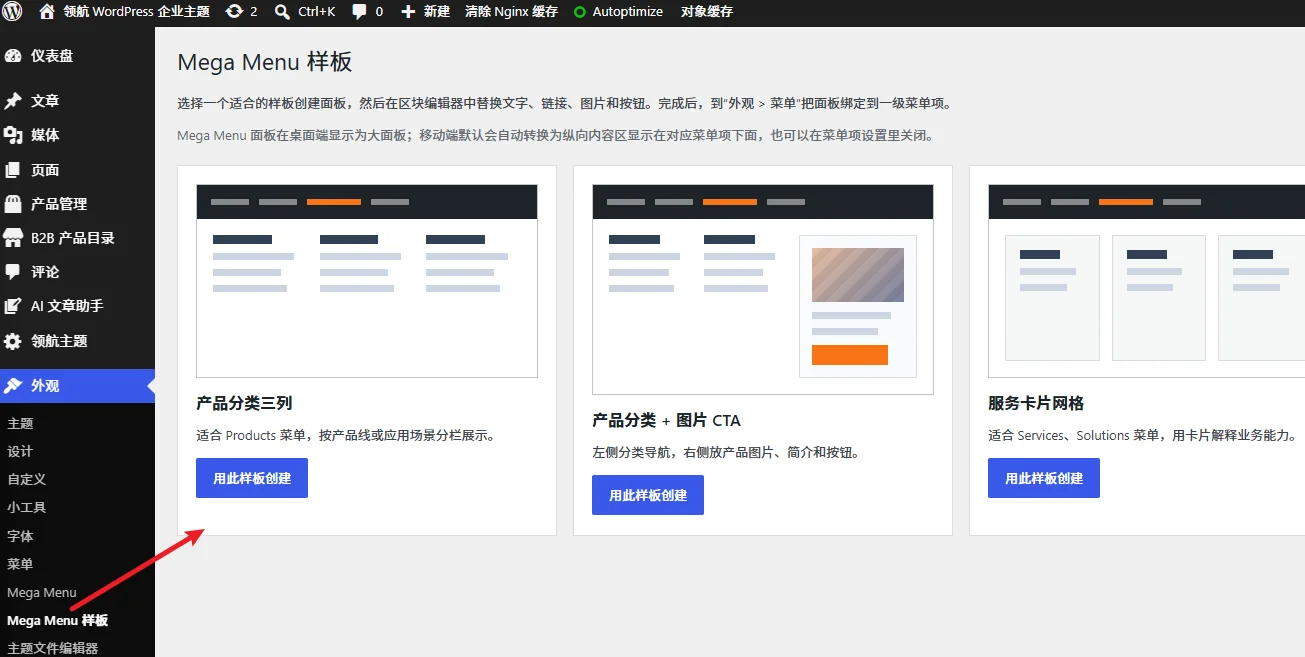
Mega Menu is built on the WordPress menu system, but the content itself needs to be created first through custom post types. LingHang Theme has prepared the „Mega Menu“ content type for you. Considering that novice users may not know how to design a Mega Menu themselves, you can start with the Mega Menu templates provided by LingHang Theme.
Select the template type you need from the Mega Menu templates to create a new Mega Menu.
Step 2: Edit Menu Item Links
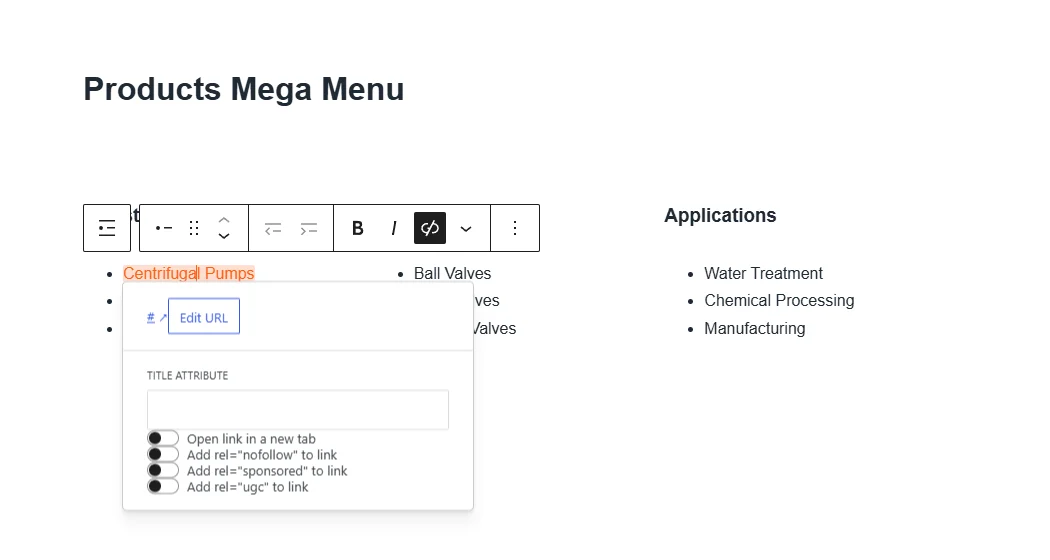
After creating the Mega Menu content, edit the links and content inserted by the template by default. If there are not enough links, you can press Enter to continue adding more.
After modifying all links and content, save the Mega Menu.
Step 3: Set the Main Navigation and Check the Frontend Effect
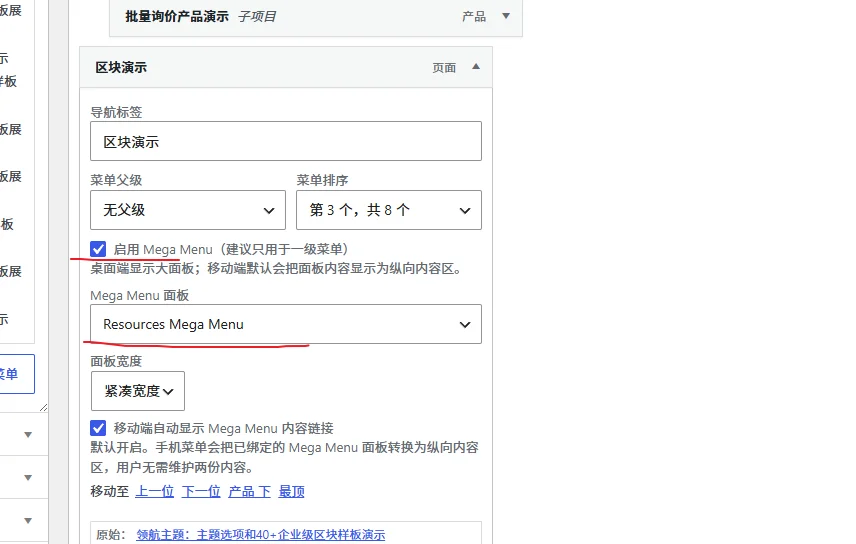
Then go back to Appearance > Menus. At the top of the menu editing interface, make sure the menu you select is the „Main Navigation Menu“ (the menu displayed in the navigation bar on the homepage).
Expand the link where you want to display the Mega Menu, check „Enable Mega Menu,“ and then select the Mega Menu template you just created from the Mega Menu template dropdown.
Save the menu, then visit the frontend of the website to see the effect.
Summary: Improve Industrial Website Building Efficiency with Mega Menu
The Mega Menu feature of LingHang Theme makes multi-level navigation for WordPress enterprise themes as simple as building blocks. Whether you are a novice in industrial website building or a marketing staff member of a foreign trade company, you don't need to learn complex code. You can create a navigation system comparable to custom development in just a few minutes. Combined with the theme's built-in Gutenberg blocks and quick website building tools, your corporate website can go live within a day.