
The card content block of the LingHang theme displays in 3 columns by default on the page, which is sufficient for most enterprises to showcase products, services, or cases. However, if you want to display more information on the homepage or inner pages simultaneously, such as 4 core businesses, 4 product series, or 4 advantage highlights, changing the card columns to 4 will make the page layout more compact and information density higher.
Thanks to the flexible architecture of the LingHang theme built on Gutenberg blocks, you can accomplish this without writing a single line of code. Below I will guide you through three steps.
Steps
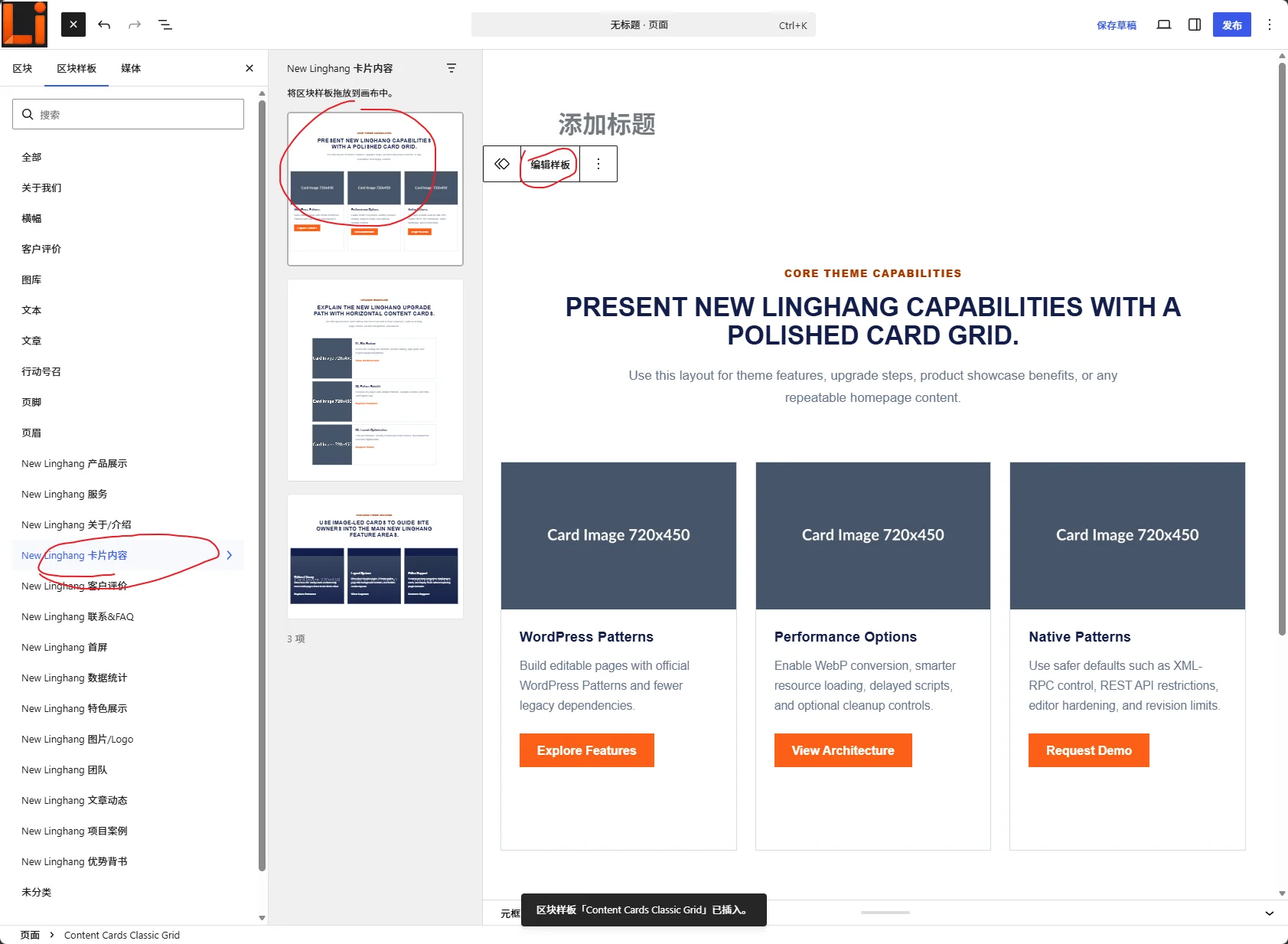
- Create a new page and add the card content block template
Create a new page in the backend, click „Add Block Template“, find „Content Card“ from the enterprise-level template library provided by the LingHang theme, and insert it into the page. After insertion, select „Edit Template“ to enter the detailed editing interface. - Duplicate a card to create the 4th card
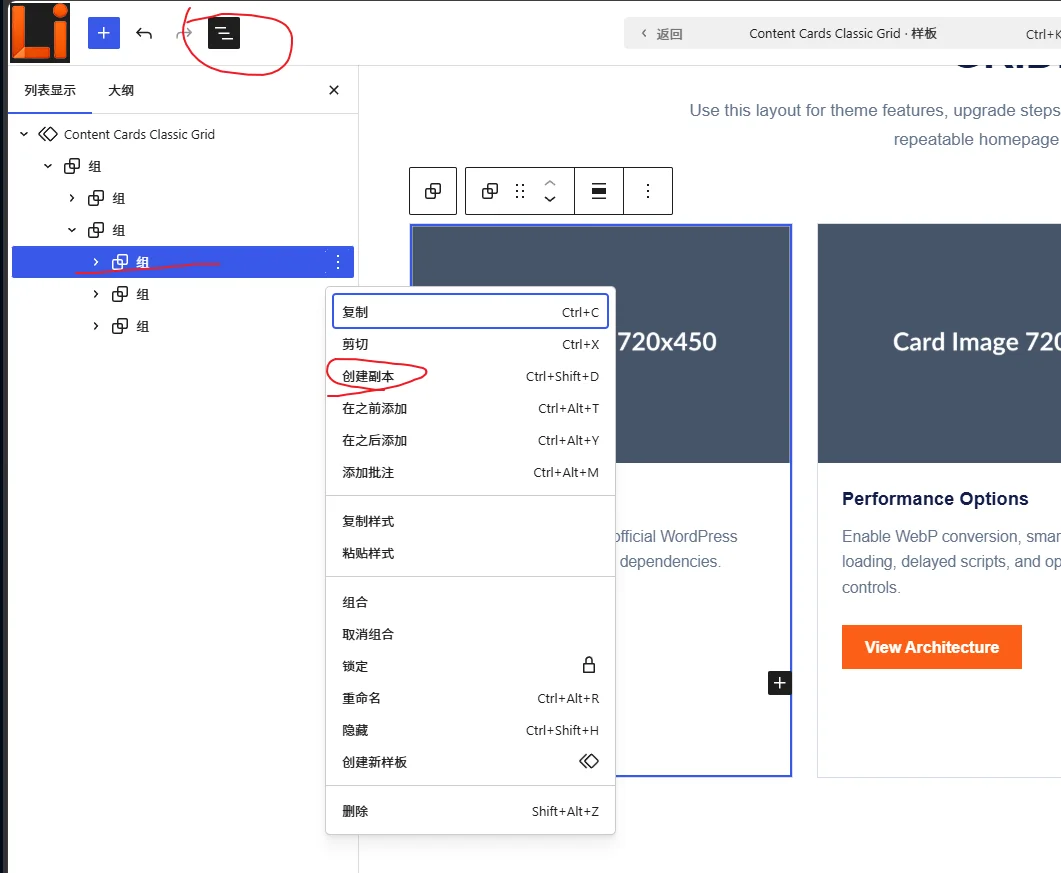
In the editor, find the „Group“ block containing 3 cards. Click the three dots (more options) in the upper right corner of the group and select „Create Duplicate“. This gives you a new group also containing 3 cards. Now you have 6 cards, but we need 4 cards per row, so the next step is crucial. - Modify the CSS class to change the number of columns from 3 to 4
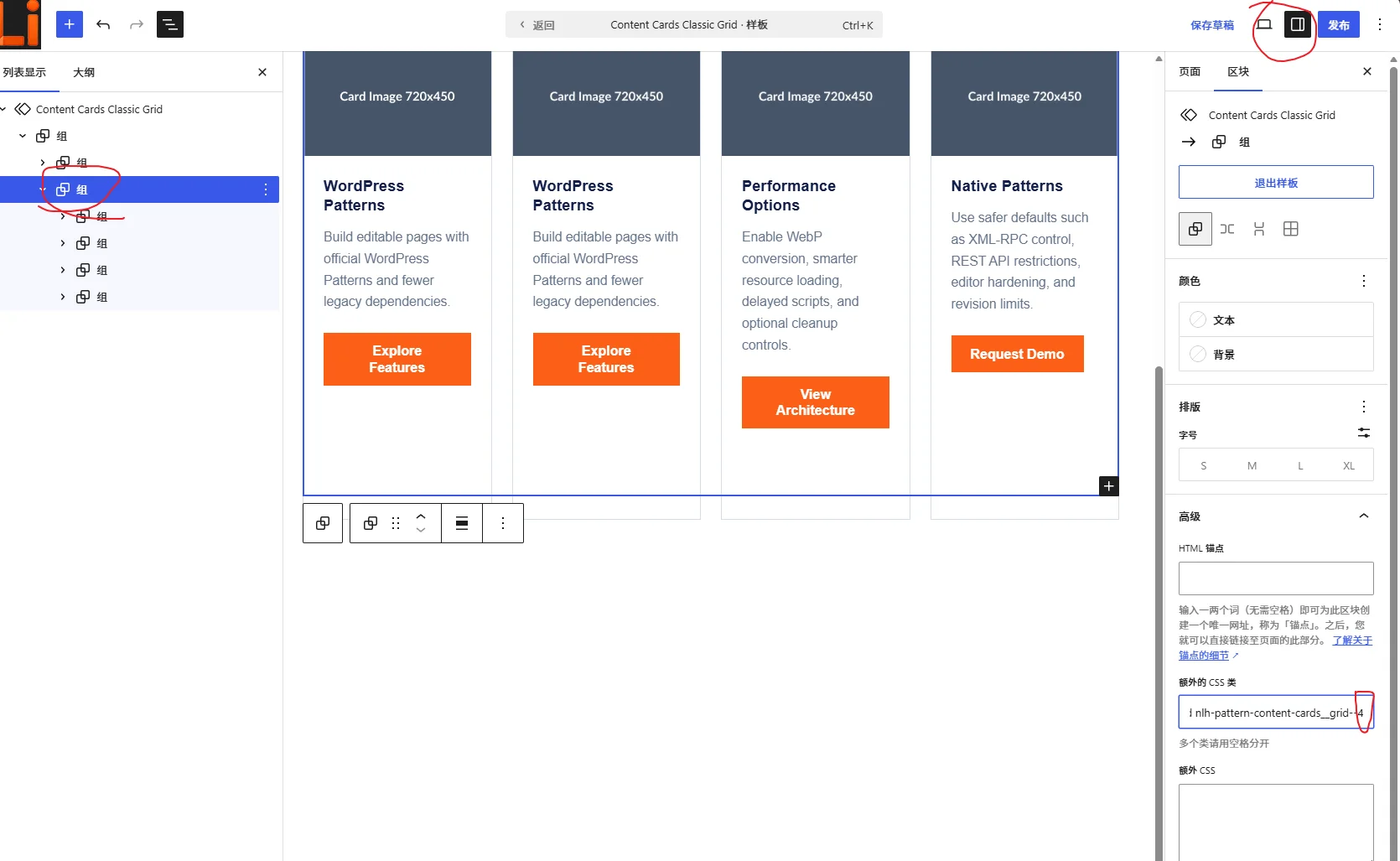
Click the parent group (the large container containing all cards), find the „CSS Class“ input box under the „Advanced“ tab in the right block panel. Entercolumns-4(if the default iscolumns-3, replace it directly). Save and exit editing, preview the page, and you will see the cards automatically arranged in 4 columns.
Illustrated Example
Additionally, the LingHang theme offers over 40 enterprise-level block templates. Feel free to explore more in theTheme Options and Demo Pages.
Why Choose 4-Column Cards?
- More Informative: Display 4 core selling points on the first screen, making it clear to users at a glance.
- Symmetrical and Aesthetic: 4 columns form a uniform grid on widescreen devices, providing a strong visual balance.
- Adaptable to Various Content: Suitable for product series, service items, case studies, team introductions, and more.
The card block of the LingHang theme has built-in responsive design. After changing to 4 columns, it will automatically adjust to 2 columns or a single column on mobile phones and tablets, with no additional settings required. This is the flexibility of alightweight WordPress enterprise theme—using Gutenberg blocks to quickly build pages that meet business needs.
If you are building a professional website for manufacturing or foreign trade companies and need to quickly generate a professional, multilingual corporate site, give the LingHang theme a try. In addition to the card block, you will also get templates for blog, products, cases, etc., as well as built-in SEO optimization and speed optimization features.
Summary: By duplicating the card group and modifying the CSS class, you can easily achieve a 4-column card layout in the LingHang theme. Hope this simple tutorial helps you build a more efficient industrial manufacturing corporate website.
Want to learn more website building tips for the LingHang theme? Feel free to check out ourblog posts, which are continuously updated with practical enterprise website building content.