When building a manufacturing company website or foreign trade site, the FAQ (Frequently Asked Questions) block is a powerful tool to enhance user trust and reduce customer service pressure. By flexibly adding items, you can cover customers' most concerned issues such as product parameters, shipping terms, after-sales processes, etc. This article will use New Linghang, a lightweightWordPress Enterprise Themeas an example to guide you step by step on how to add new content items to the FAQ block, allowing your website to quickly have a professional Q&A module.
Step 1: Enter the FAQ Block Editing Environment
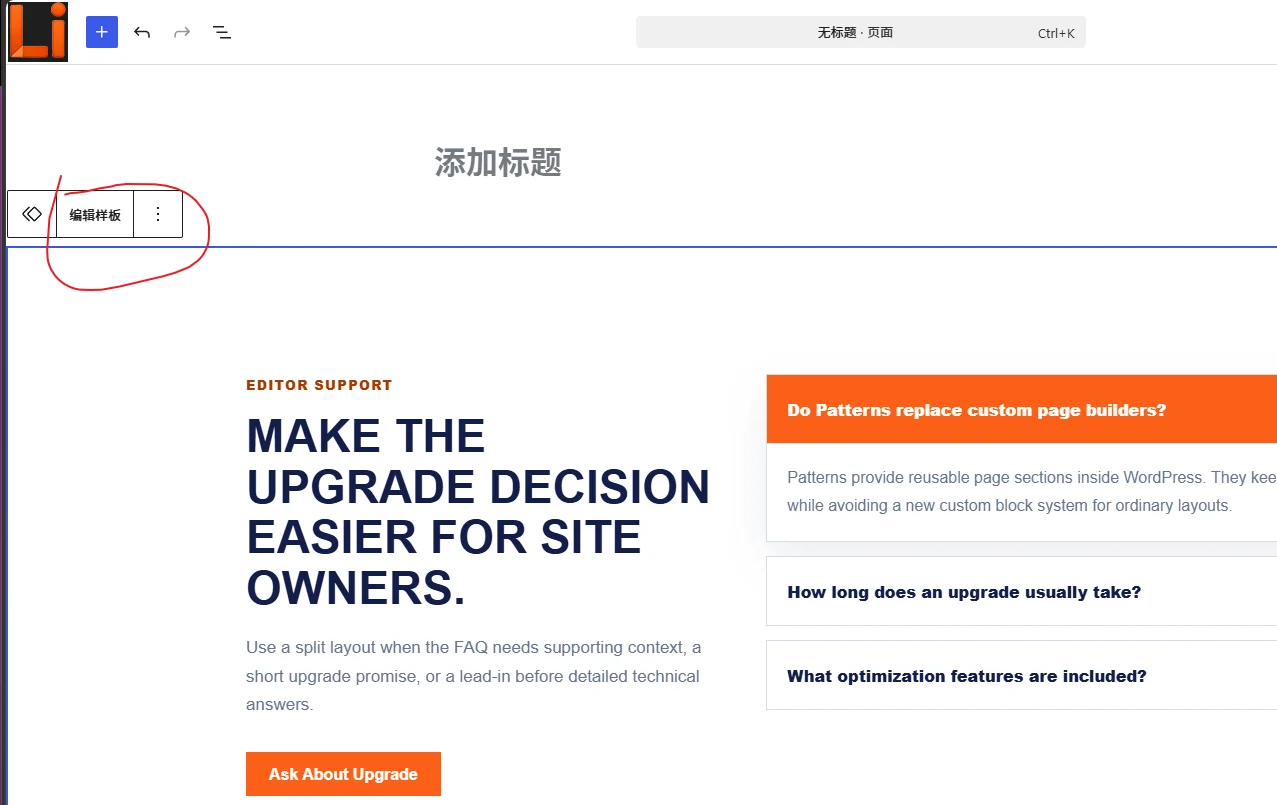
When editing a page or post in the WordPress backend, click on the already added FAQ block (only for LingHang theme; other themes may not include the FAQ block). If you haven't used this template yet, refer to ourNew Linghang Contact & FAQ Block Pattern ShowcaseQuickly understand the layout. Ensure the block is selected, then click the „Edit Template“ button on the toolbar (as shown in the figure).
Step 2: Open the Top „Document Overview“ Button
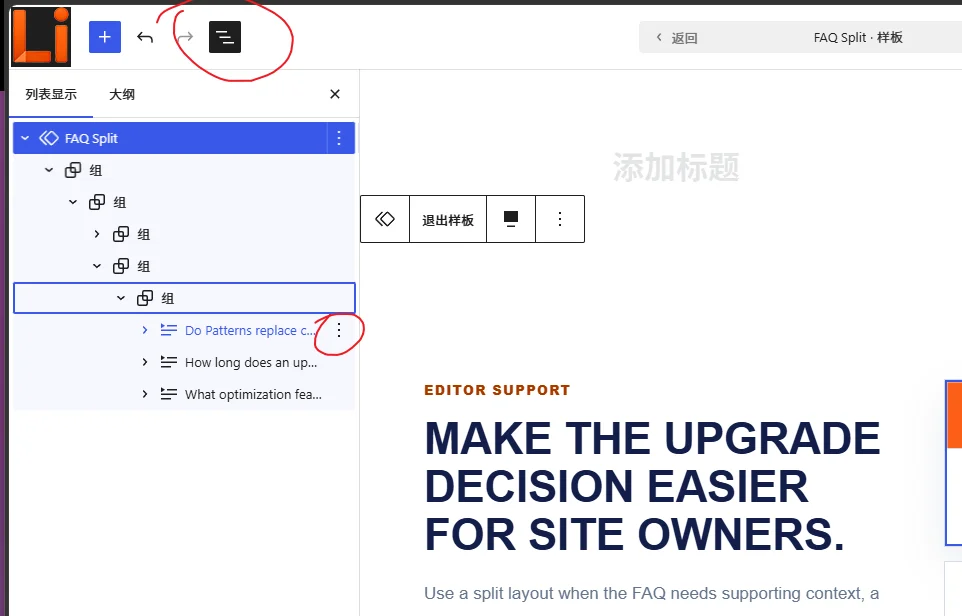
After entering the template editor, you will see a set of preset Q&A items. Find the „Document Overview“ button (icon with three horizontal lines list) in the top toolbar, click it to switch the block to list editing view. This allows you to view and manage each Q&A more clearly.
Step 3: Add a New FAQ Item
In list mode, each item is an independent block. You can use the "Create Duplicate" button in the three-dot menu on the right side of the list to copy a new FAQ item. Enter the question as the title, then write a detailed answer in the content area below. Supports rich text, lists, links, and other formats, ideal for displaying technical details of industrial products.
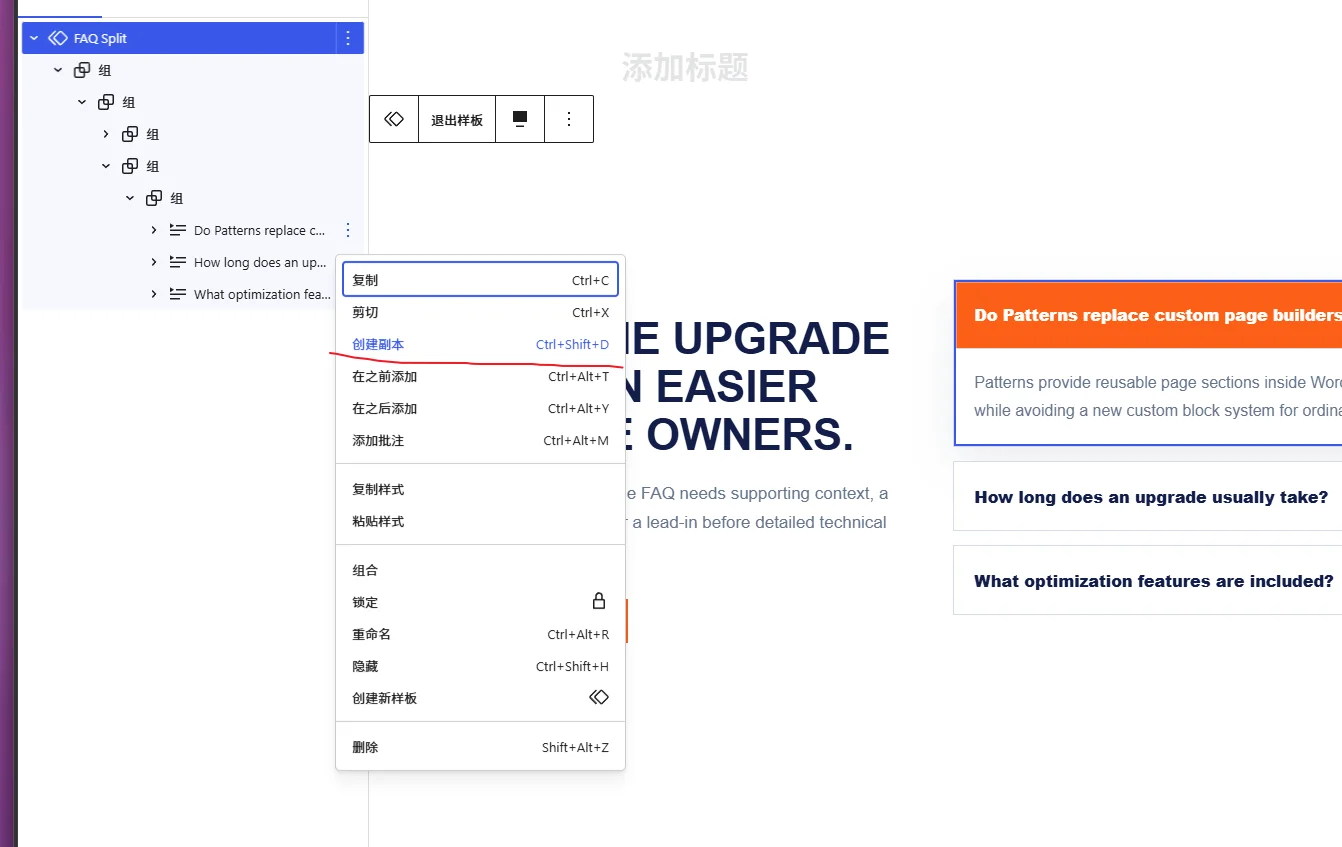
Note that if the copied item is expanded by default, the newly created duplicate will also be expanded.
Why Choose New Linghang's FAQ Module?
- Gutenberg Native Support:All operations are completed in the block editor, no additional plugins required.
- Lightweight and Efficient:As alightweight WordPress theme, it will not slow down website loading speed, which is especially important for manufacturing and foreign trade websites.
- Multilingual Friendly:Supports bilingual display of FAQ content in Chinese and English, convenient for expanding overseas markets.
- Flexible Styles:You can adjust colors, spacing, icons, etc., in the block panel to match brand visuals.
Summary
Through the above three steps, you have mastered how to add new content items to the FAQ block. Whether answering product usage questions or explaining logistics policies, a rich FAQ module can significantly enhance the professionalism of yourmanufacturing website template. Now open your New Linghang theme backend and try adding more Q&A items to your website's FAQ page!