
After setting up a foreign trade enterprise website, many companies hope to enable multilingual functionality for their site. Thanks to the rich WordPress ecosystem, adding multilingual functionality to a WordPress website is very simple—just install a translation plugin. Popular translation plugins include:
- TranslatePress
- WPML
- Polylang
- GTranslate
- Weglot
- ConveyThis Translate
- MultilingualPress
- Loco Translate
Introduction to Popular WordPress Translation Plugins
1. TranslatePress
The LingHang theme demo site uses TranslatePress. Plugin URL:https://wordpress.org/plugins/translatepress-multilingual/
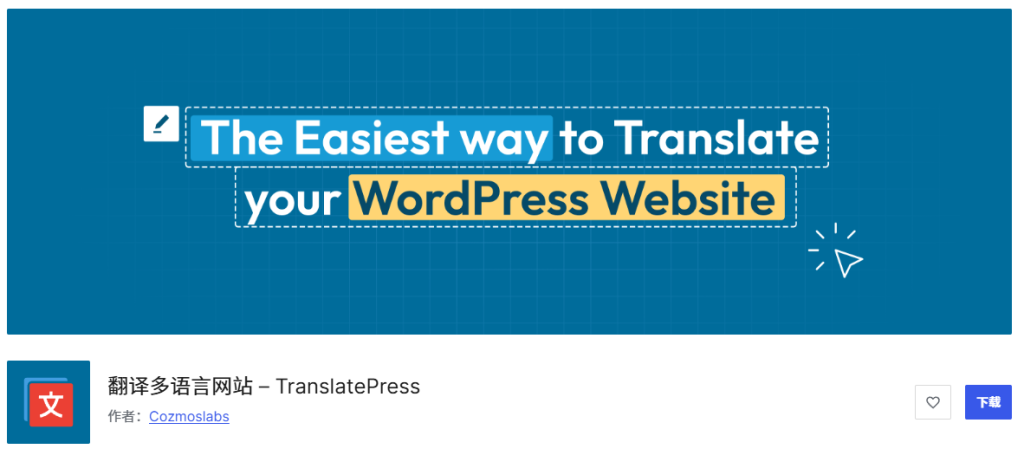
The biggest feature of this plugin is its visual translation interface, allowing you to click on any element directly on the frontend page to translate, just as intuitive as using the WordPress Customizer. It supports manual translation and automatic translation (integrated with Google Translate and DeepL). The free version has a word limit for automatic translation, while the paid version offers full automatic translation functionality. If you want fine control over the translation of each word, you can also manually translate item by item.
TranslatePress's translation method is very flexible. It can not only translate post content but also directly translate menus, widgets, theme strings, and even plugin output. It supports search engine-friendly URL structures and is compatible with most WordPress themes and plugins.
2. WPML
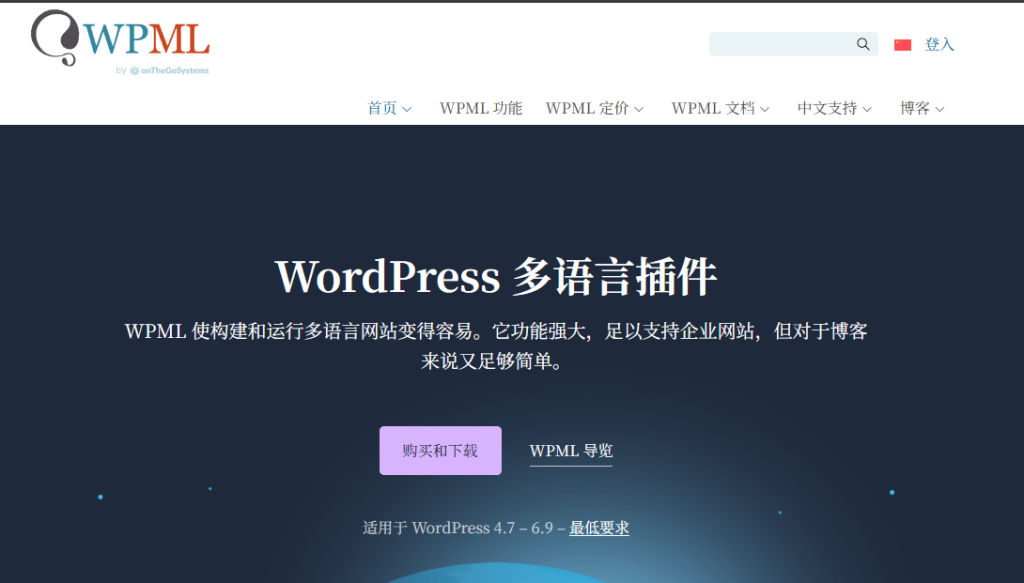
WPML is the most well-known and mature translation plugin on the WordPress platform, available only in a paid version. Official website:https://wpml.org/zh-hans/
As the commercial translation plugin with the highest market share, WPML providesComplete translation ecosystemIt is not just a translation tool, but a complete multilingual management solution. WPML supports over 40 languages and can seamlessly integrate with professional translation services, making it ideal for commercial websites and large projects.
The power of this plugin lies in itsdeep integration capabilities, which can work with almost any WordPress theme and plugin. It provides a complete translation management interface, allowing you to easily manage translation status, assign translation tasks to team members or professional translators. Although the price is relatively high, its stability, feature completeness, and technical support make it the first choice for many professional developers.
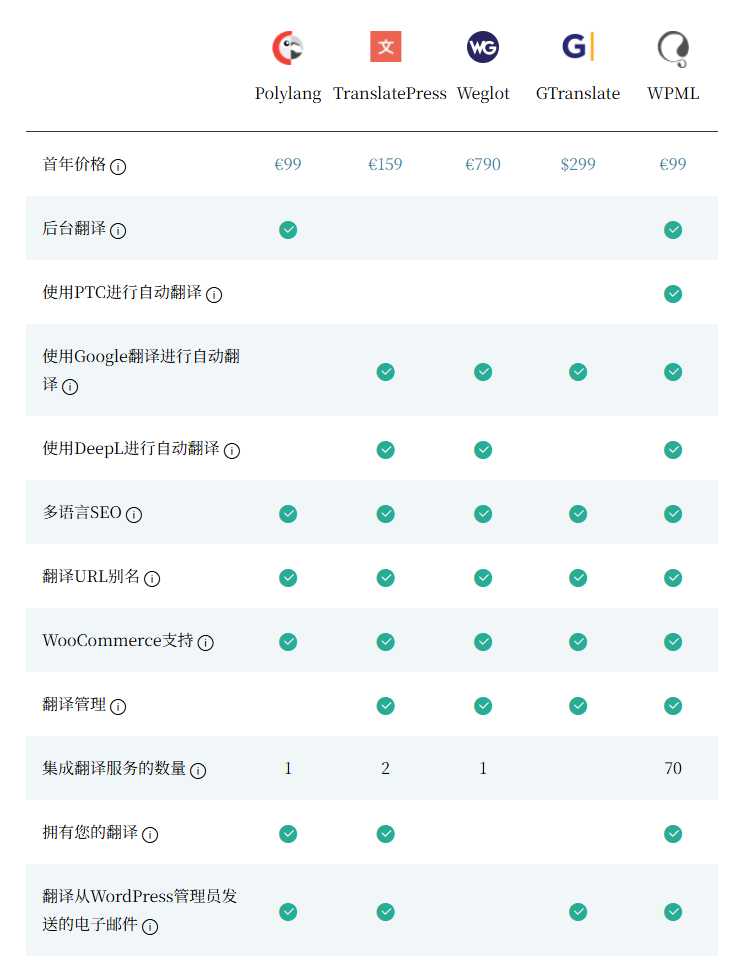
Below is a comparison with other translation plugins that have free versions.
3. Polylang
Polylang is one of the most comprehensive and flexible options among free translation plugins, and also has a more powerful paid version. Plugin URL:https://cn.wordpress.org/plugins/polylang/
Polylang adopts anelegant and efficient working method: it creates independent but interconnected content for each language. When you write an article in the default language, you can easily create versions in other languages for it. These versions are linked to each other in the backend but displayed as independent content on the frontend. This approach is very SEO-friendly, as search engines treat them as independent pages in different languages.
The free version of Polylang already provides core multilingual features, including translating posts, pages, categories, menus, and theme strings. If you need more advanced features, such as translating widgets, RSS feeds, or integrating with bbPress forums, you can consider its paid extension Polylang Pro. I have written a detailed tutorial before, see:WordPress Multilingual Plugin Polylang Tutorial_Foreign Trade Multilingual Website Building – Naibabiji
4. GTranslate
For beginners, GTranslate might be theeasiest translation plugin to operate. Plugin URL:https://wordpress.org/plugins/gtranslate/
This plugin uses the Google Translate API by default and can automatically translate your website content into over 100 languages. After installation, almost no configuration is needed; it automatically detects the visitor's browser language and provides the corresponding translation. The translation effect is similar to using Google Translate directly on a webpage. Its advantages are simple setup and immediate availability, making it especially suitable for websites that need to support multiple languages quickly.
The free version provides basic automatic translation functionality, but the translated content will not be indexed by search engines. The paid version, on the other hand, allowstranslated pages to be indexed by search engines, improving multilingual SEO performance, and also offers advanced features such as manual editing of translations and custom language switchers. It should be noted that, due to complete reliance on machine translation, the accuracy of translations may not be as good as human-edited content.
5. Weglot
Weglot is apowerful and easy-to-useWordPress translation plugin, offering both free and paid versions. Plugin URL:https://wordpress.org/plugins/weglot/
The design philosophy of this plugin is to „simplify the complexity of multilingual websites.“ Weglot canautomatically detect and translate all content on your website, including dynamic content, JavaScript-generated parts, and theme/plugin strings. It uses machine translation to quickly generate a first draft, then provides an intuitive interface for you to review and edit any translations.
Weglot supports over 100 languages and offers flexible translation management options. The free version is suitable for small websites, while the paid version provides more advanced features such as translation team collaboration, translation version control, and priority support. Its setup process is very intuitive, typically enabling multilingual support for your site within minutes.
6. ConveyThis Translate
ConveyThis Translate is anew but feature-richtranslation solution. Plugin URL:https://wordpress.org/plugins/conveythis-translate/
This plugin integratesadvanced AI translation technology, delivering more natural and accurate translations than traditional machine translation. The free version supports automatic AI translation, limited to 5,000 words and one target language, suitable for small websites or testing. The paid version offers unlimited translations, more language options, and manual translation editing features.
One highlight of ConveyThis is itsintelligent translation management system, which can automatically detect new content on your site and schedule translations, keeping multilingual versions synchronized. It also provides a visual translation editor, allowing you to modify any translation content directly on the front end of your site. The plugin is easy to set up, supports search-engine-friendly URL structures, and is compatible with WordPress caching plugins.
Multilingual Solution Selection Recommendations
Choosing the right multilingual solution depends entirely on your core needs. Here are recommendations for different scenarios:
If you prioritize minimal setup, we recommend using GTranslate directly. It fully leverages the Google Translate API for a „install and use“ experience. The paid version also allows you to manually correct inaccurate machine translations, offering an efficient path of „go live first, optimize later“.
If you value translation quality and professionalism the most, WPML is worth the investment. As an industry benchmark plugin, it provides the most comprehensive translation workflow, SEO optimization, and third-party compatibility. Although it requires payment, its mature ecosystem can save you significant time on debugging and integration, making it especially suitable for commercial projects.
If you prioritize user experience above all, we recommend creating independent site copies for each language (via multisite or manual duplication). While this increases maintenance effort, it offers complete design freedom. Taking the LingHang theme demo site as an example: In the Chinese navigation, „Block Demo“ was originally in the top-level directory, but in the English version, we adjusted it to a submenu under „Products“. This is because the character length difference between Chinese and English is significant, and direct translation would disrupt the navigation layout. Similarly, the homepage slider copy was tailored rather than literally translated.

The advantage of this independent site approach is:Each language version is a fully autonomous website. You can adjust the layout, colors, images, and even functional modules based on language characteristics, making the design truly serve the content. This is no longer simple text replacement, but a genuine localized experience design.