
While the LingHang theme makes it easy for beginners to quickly build a professional website, some designs may not meet your company's actual needs. If you have some CSS code knowledge, you can override them by adding custom CSS code.
There are two ways to add custom CSS code to the LingHang theme:
1. Theme Custom CSS
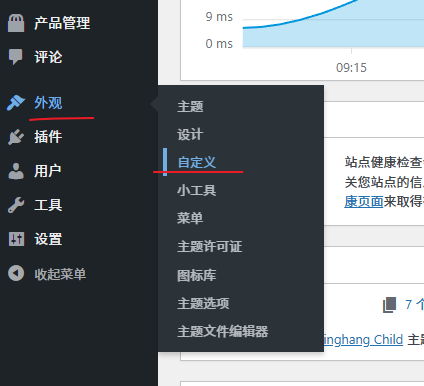
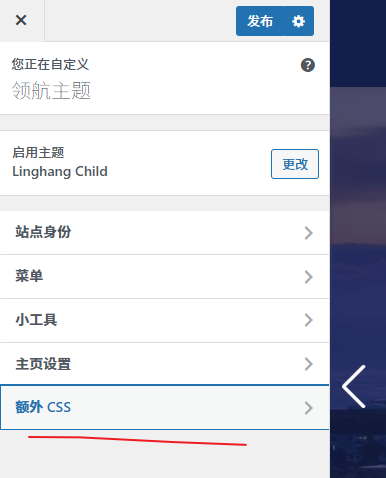
Steps: WordPress Dashboard → Appearance → Customize → Additional CSS
Just paste your custom CSS code in.
2. Installing a Child Theme
Child Theme Download:linghang-child.zip (The installation method is the same: upload, then activate.)
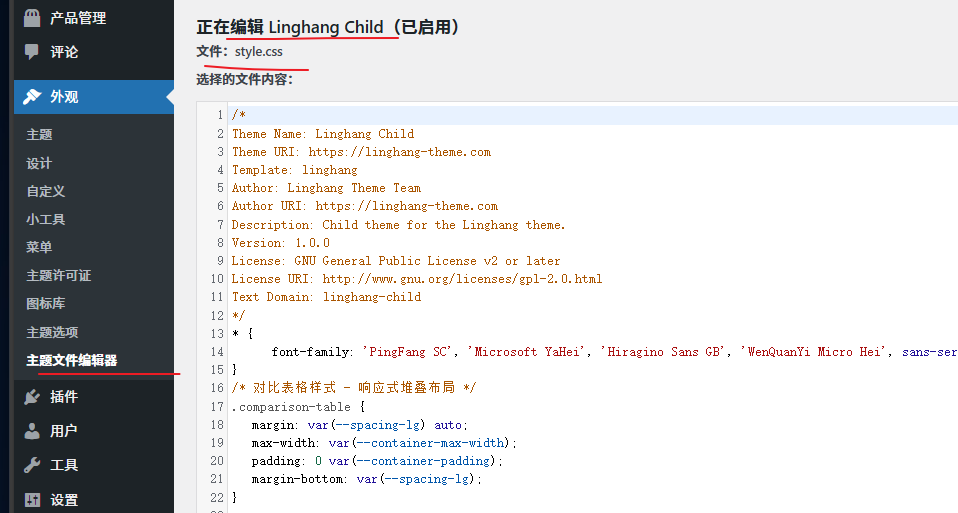
First, install the LingHang child theme. Then, in the WordPress admin dashboard, go to Appearance, Theme File Editor, and add your own CSS code in the style.css file. Update to save.
3. Custom Code Demonstration
1. Adjusting Submenu Width
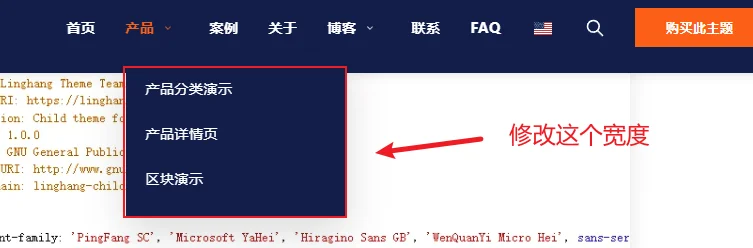
For example, if you want to modify the width of the navigation menu's submenu, you can try adding the following code:
.primary-menu .sub-menu {
    min-width: 420px !important;
}
2. Adding a Background Image to the Title Area
This feature has been integrated into theme version 1.20. You can configure it directly on the page settings page.

/* 博客文章页标题背景区域 */
.single-post-header::after {
    content: '';
    position: absolute;
    top: 0;
    left: 0;
    right: 0;
    bottom: 0;
    background-image: url('https://linghang.quhenet.com/wp-content/uploads/2025/11/slide-3.jpg'); /* 背景图片网址 */
    background-size: cover;
    background-position: center;
    background-repeat: no-repeat;
    opacity: 0.3; /* 图片透明度 */
    z-index: 0;
}
 /* 隐藏右侧圆形元素,不需要隐藏则不复制下面代码 */
.single-post-header:before {
     background: none;
}

/* 页面标题背景 */
.page-header-wrapper {
    background-image:
        linear-gradient(rgba(0, 0, 0, 0.4), rgba(0, 0, 0, 0.4)), /* 黑色半透明蒙版 */
        url('https://linghang.quhenet.com/wp-content/uploads/2025/11/slide-3.jpg');
    background-size: cover;
    background-position: center;
    background-repeat: no-repeat;
}

/* 删除左右圆形元素 */
.page-header-wrapper::before,
.page-header-wrapper::after {
    display: none;
}
3. Adjusting the Background Overlay Clarity of the Slider
/* 调整hero遮罩透明度,修改0.3的值,越小越透明 */
.hero-overlay {
    background: rgba(19, 30, 74, 0.3) !important;
}
Tip: If the mask adjustment is too transparent, white text may overlap with the background and become hard to read.
4. Set the image to full width display
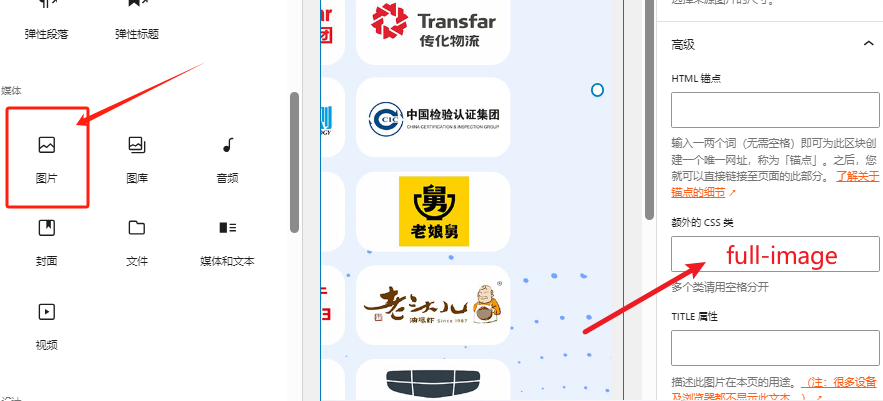
If you plan to use an entire image to fill the web screen for some designs, after adding the image, add an extra CSS class „full-image“ to it, and then add the following custom CSS code.
.full-image {
    max-width: 100%;
}
.full-image img {
    margin: 0 auto;
    width: 100%; /* 图片拉伸到全宽,不添加这一行就是原图最大宽度居中显示 */
}