
To add AI customer service to product features, first install theB2B Product Management Plugin, then fill in the corresponding API address and key in the plugin settings, along with company introduction and FAQ information. After that, users will see the AI customer service feature on the front-end product page. The specific steps are as follows:
1. Install the B2B Product Management Plugin
You can directly search for the plugin title in the plugin backend to install it, or download it from the link below and upload it for installation.
2. Enable the plugin, go to the plugin settings interface, and find the AI Tags option.
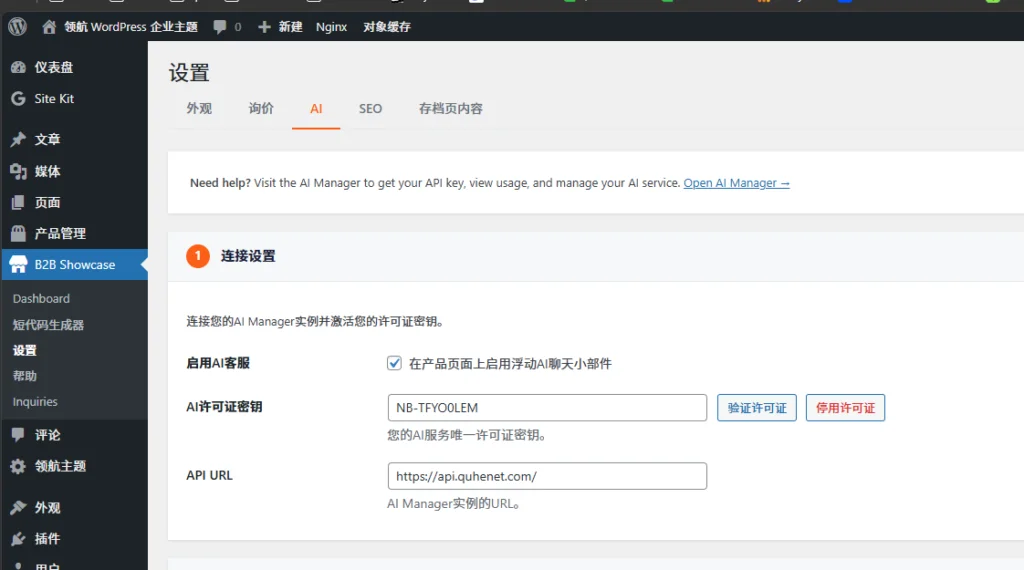
3. Fill in the API address ashttps://api.quhenet.com/ and save the plugin settings.
4. Select an unused license key from below to verify the license.
- NB-RGABFCEP
- NB-CKV4A3JO
- NB-XQ5CDKMU
- NB-BNU9FRWS
- NB-JR1VBQAV
- NB-AYRQZAG8
- NB-D0MAL9TJ
- NB-CXU2PSB3
- NB-RQLMVLBF
- NB-UTIS7XJR
- NB-X5GF1CXX
- NB-YDLANSHS
- NB-2TYNJGE9
- NB-U9HWKYSA
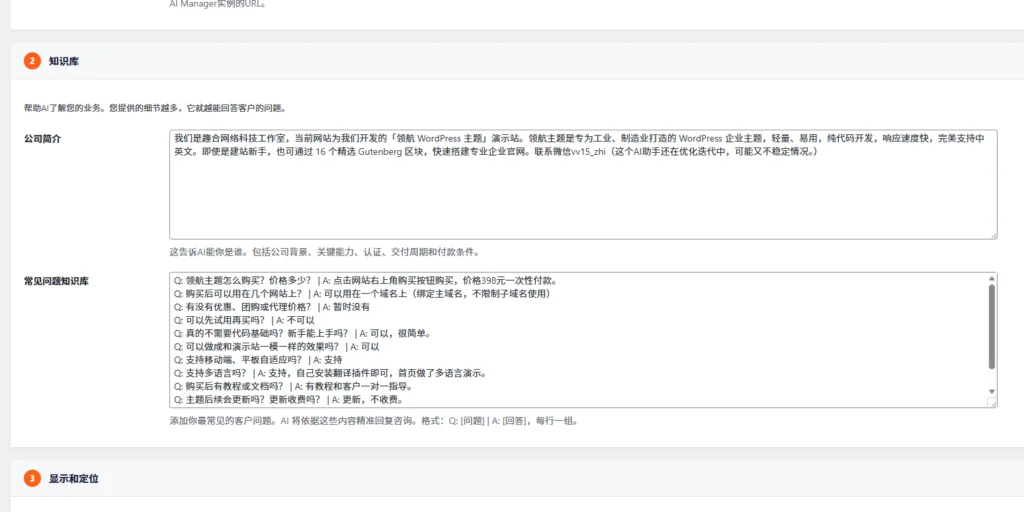
5. Set up the knowledge base to help AI understand your company and products.
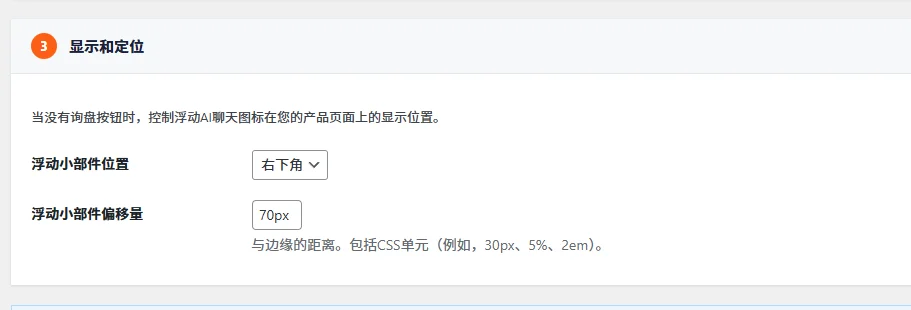
6. Set the display position of the AI customer service icon.
After saving, you can view the AI customer service effect on the frontend.