
Template Workshop is a new feature in LingHang Theme v2.0, designed to meet the design needs of more users. Based on the theme's built-in Gutenberg blocks, it offers more module design options for HTML templates. The specific usage is as follows:
1. Go to Template Workshop under the theme menu and select the design module you need.
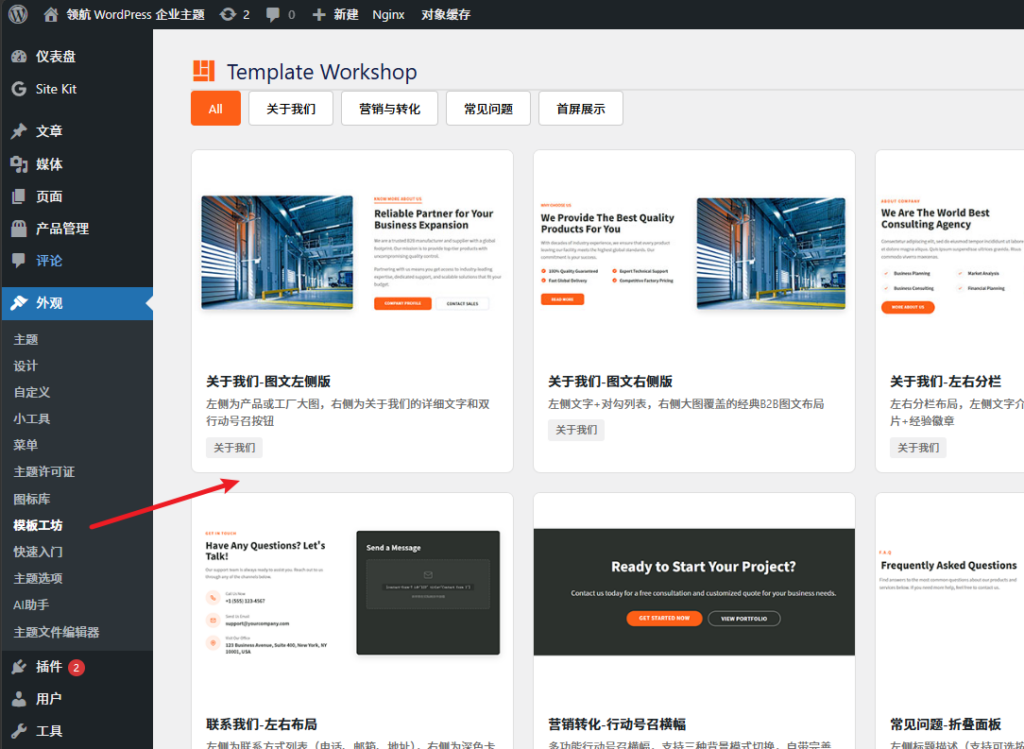
2. Edit your copy on the left, and preview the effect on the right.
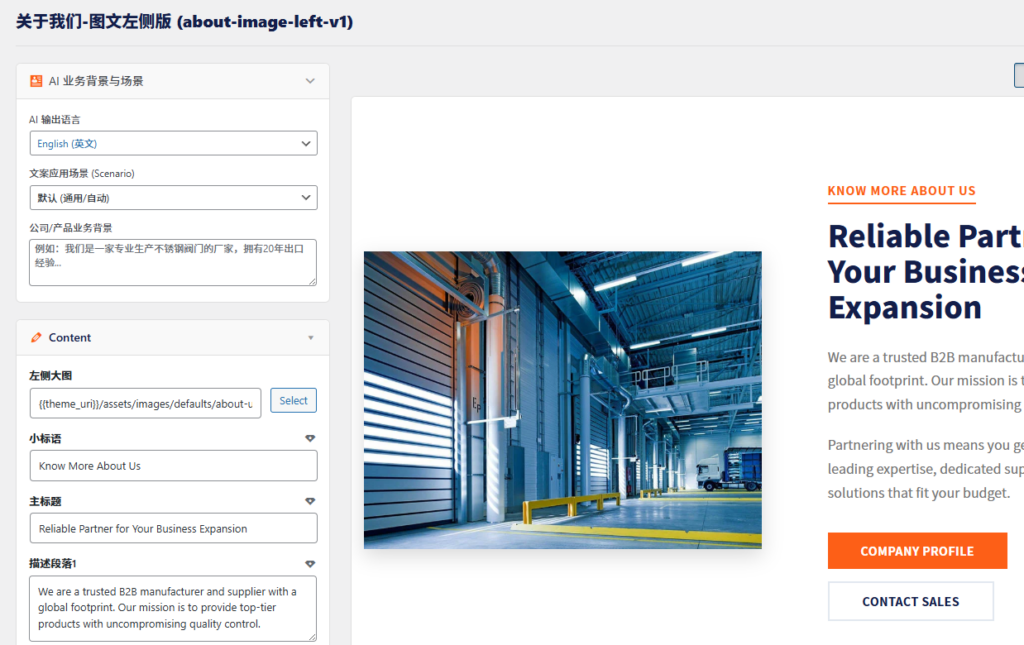
If you need to use the AI copy polishing feature, you must first configure the copy scenario and company information so that AI understands your actual situation. Then click the diamond icon after the copy to generate AI copy. (The generated copy is displayed directly in the preview interface.)
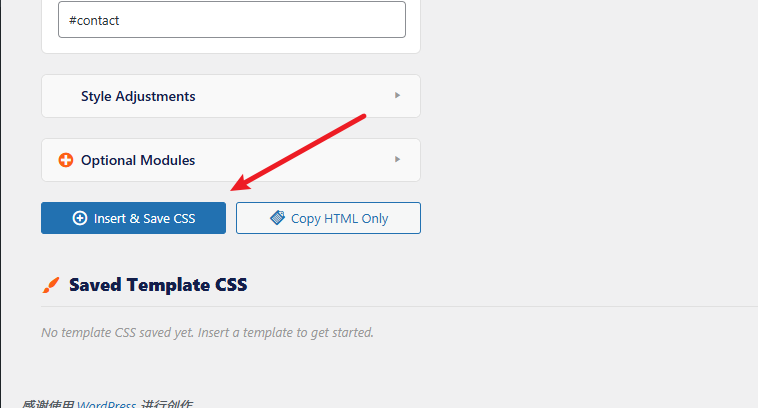
3. Click the Insert and Save CSS button. The system will insert the CSS file into the database by default and automatically copy the HTML code. If automatic copying fails, copy it manually.
4. Go to the page, insert a Custom HTML block, paste the code, and publish the page. The corresponding design effect will be visible on the front end.
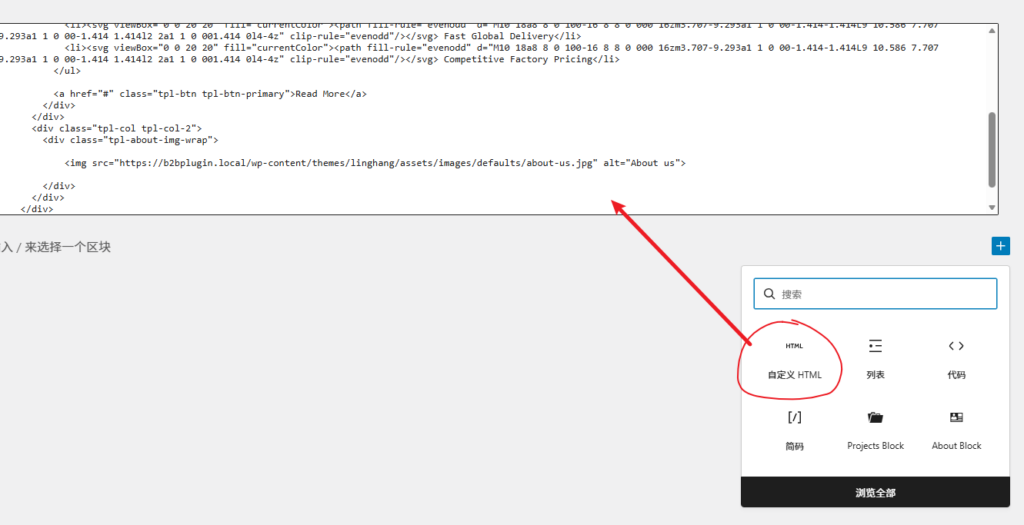
If you need to change the copy later, go back to the backend to generate the code and overwrite it.
If you no longer need it, simply delete the Custom HTML block, and then delete the corresponding CSS content in Template Workshop.