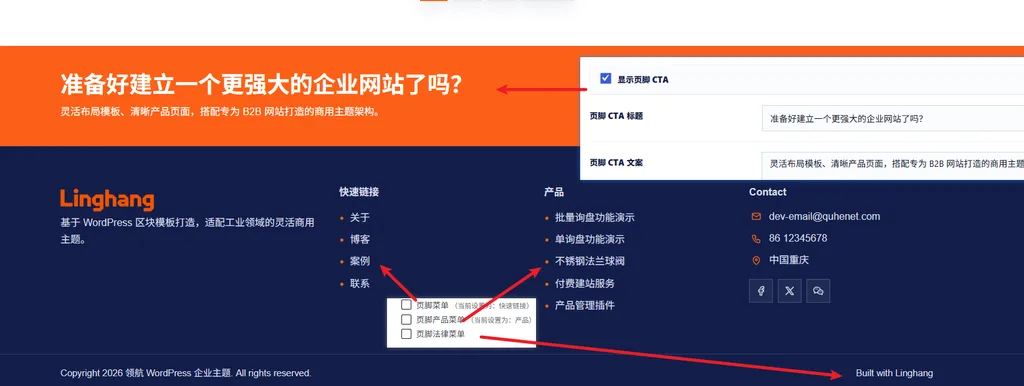
The footer settings for the LingHang theme are located in the Footer tab of the LingHang theme settings.
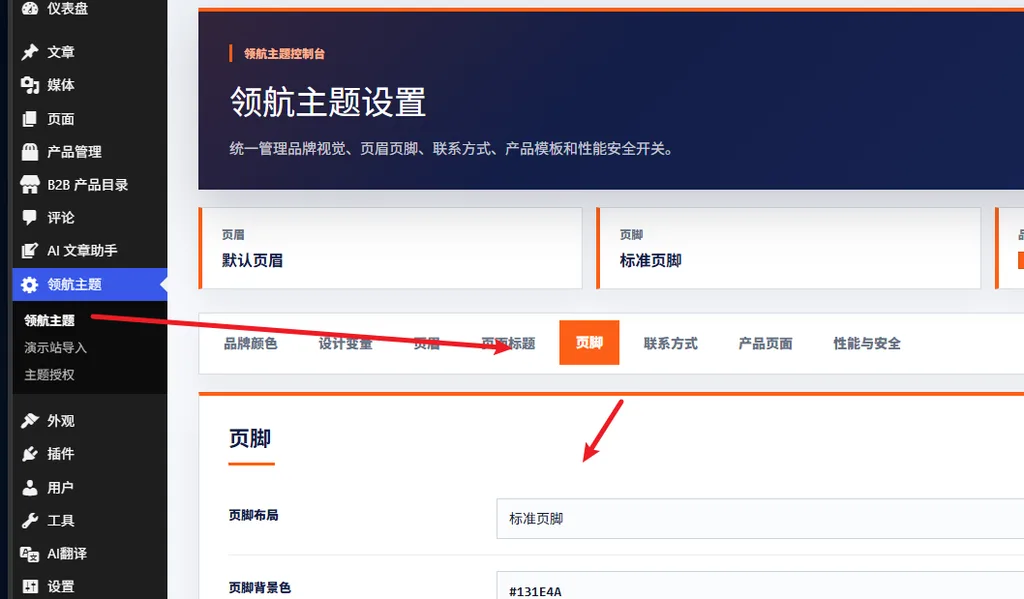
You can choose a standard footer or a compact footer (if new layouts are added later, you can also switch directly).
Take the standard footer as an example.
In the screenshot below, „Ready to build a more powerful corporate website?" this horizontal bar content is calledCTA, and you can set whether to display it and its content in the theme settings.
Below the LOGO, „Built on WordPress block templates, a flexible commercial theme tailored for the industrial sector." is modified in theFooter Introductionof the theme footer settings.
The footer has a total of 3 menus. UnderAppearance,Menus, create a menu and check the corresponding display location.
The contact information is set in theContact Tabof the theme settings.