
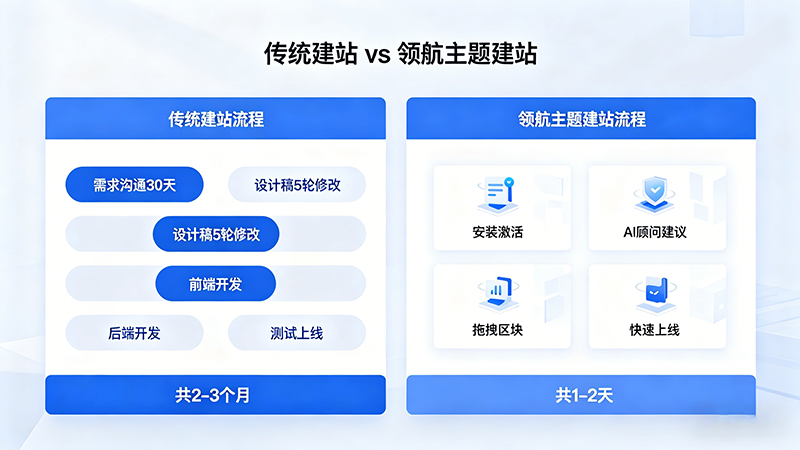
In our service process, we have encountered a large number of website building demanders from different industries and found that almost all users preparing to build a B2B corporate website will encounter some or all of the following problems:
- Tight budget: Outsourced custom development starts at thousands or even tens of thousands, which is difficult for small and medium-sized enterprises to afford;
- Long cycle: From requirement communication to design draft confirmation, and then to development and launch, it often takes two to three months
- Difficult maintenance: After the website goes live, if you want to change a copy or add a section, you still need to find a technician
- Hard-to-control results: Designers may not necessarily understand B2B business, and the pages they create always lack something
Especially for B2B enterprises such as industrial manufacturing and foreign trade export, the corporate website is the first window for customers to understand the company's strength and the main entry point for obtaining inquiries.
The reality is: small and medium-sized enterprises neither want to invest in custom development nor find generic templates professional enough.
What to do?
Today, I recommend a theme specifically polished for B2B scenarios:Professional WordPress Business Theme — Linghang Theme (Linghang), the latest releasev1.3.0 now includes an AI website building assistant, allowing you to quickly build a high-conversion official website like stacking blocks.
16 professional blocks covering core scenarios of corporate websites
Linghang Theme deeply integrates with the official WordPress Gutenberg block editor, featuring16 professional blocks tailored for B2B corporate websites. No coding required; just move the mouse to complete page building.
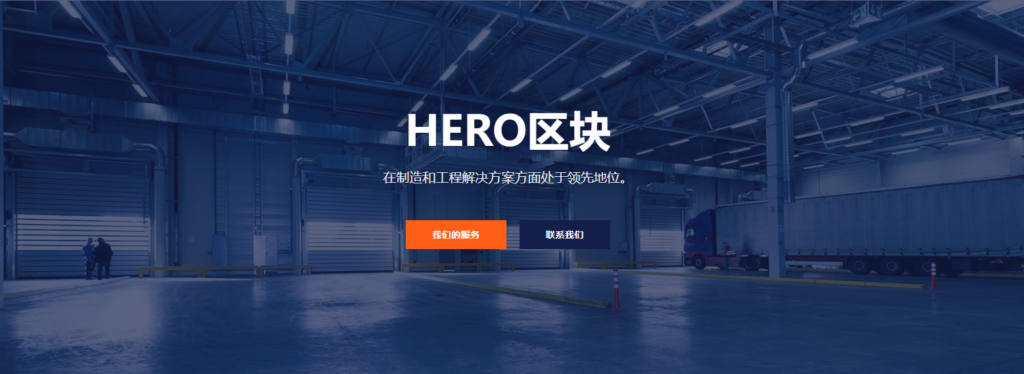
Hero Banner
First impressions of a website are crucial. The Hero block supports:
- 1920×1080 full-screen background image
- Optional full-screen height / auto height / custom height
- Dual button configuration (primary button + secondary button)
- Smooth background image overlay effect
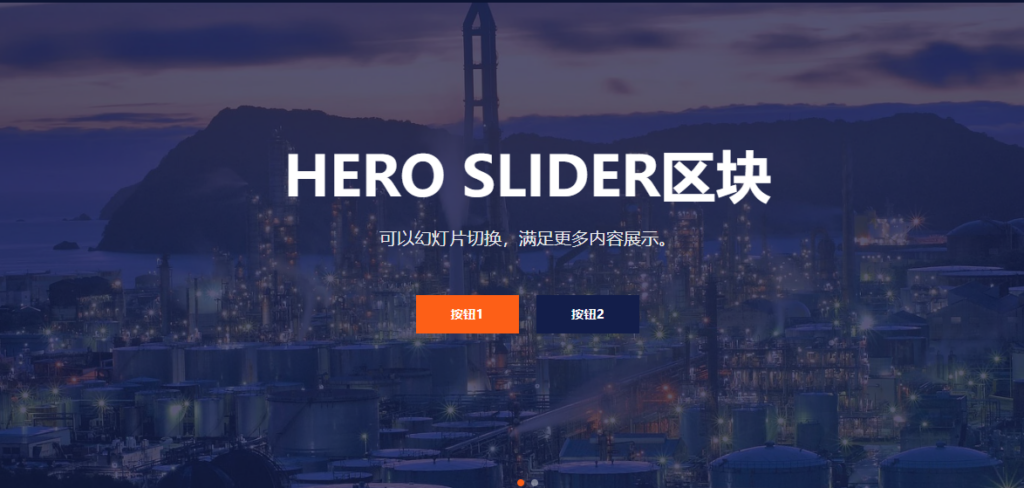
Multi-image carousel (Hero Slider)
Suitable for showcasing product series, services, or honors:
- Based on Swiper.js, smooth touch sliding
- Supports multiple slides in carousel
- Auto-play + manual switching (configurable interval)
- Content alignment options (left/center/right)
- Each slide supports independent title, subtitle, and dual buttons
About Us
Showcase company background and core advantages:
- Image-text left-right layout switchable
- 4 Feature Lists (with Icons)
- CTA Button to Guide Next Action
Professional Service Showcase
Suitable for Industrial Equipment, Manufacturing Services, etc.:
- Supports up to 12 Service Items
- Each Item with Independent Icon and Description
- Supports External Link Jump
Project Case Showcase
Display Past Successful Cases to Enhance Customer Trust:
- Grid Layout, up to 18 Items
- Hover to Show Overlay, Customizable Color
- Click to Jump to Detail Page
Data Statistics Animation
Let Numbers Speak, Showcase Enterprise Strength:
- Supports 3-Column / 4-Column Layout
- Number Scrolling Animation (Odometer)
- Custom Icon, Number, Suffix
Customer Testimonials
Social Proof to Boost Conversion:
- Carousel Display of Multiple Customer Reviews
- Supports Customer Photo, Name, Position
- Enterprise Logo Wall Display
Team Members
Showcase Core Team Professional Image:
- Up to 12 Members
- Name, Position, LinkedIn Link
- Hover to Show Social Icons
Contact Information
Make It Easy for Customers to Find You:
- Phone, Email, Address Information
- Support icon decoration
- Clickable WhatsApp / WeChat
Accordion / FAQ
Answer common customer questions:
- Smooth expand/collapse animation
- Suitable for product parameters, service descriptions
- SEO-friendly structure
All blocks support:
- Block anchor settings (for anchor link navigation)
- Responsive adaptation (Desktop / Tablet / Mobile)
- Conditional loading (only load resources used on the page)
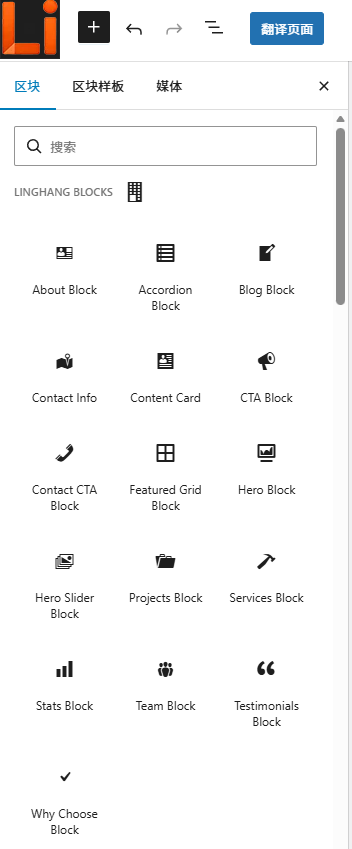
View all 16 block demos and configuration instructions →
🤖 v1.3.0 Major Update: Built-in AI Website Building Consultant, Beginners Can Also Create Professional Sites
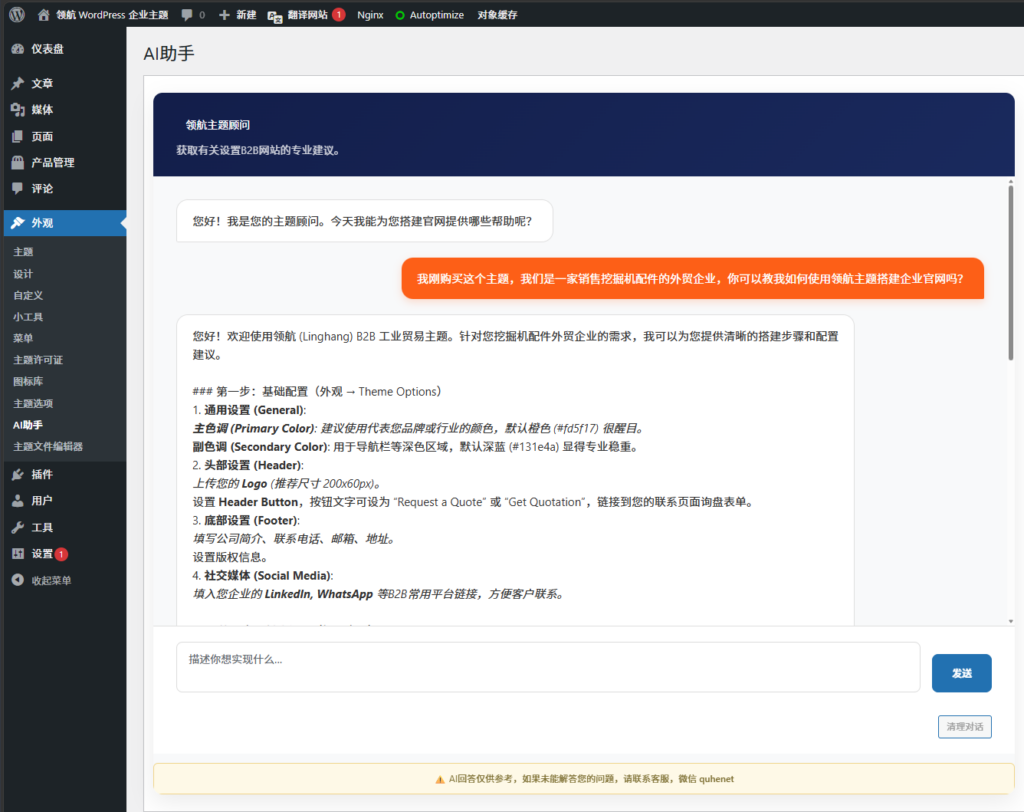
This is theLingHang WordPress Enterprise Themecore highlight of the update. LingHang Theme v1.3.0 has a built-inAI Assistantin the WordPress backend, located at 「Appearance → AI Assistant」.
Why is it called a „True Theme Expert“?
1. Native Understanding of LingHang Theme
This AI assistant is specially trained and natively understands the configuration details of LingHang Theme's 16 core blocks. Whether you want to create a homepage, service page, or product showcase page, it can provide targeted advice.
2. It Understands B2B Business
Not only does it teach you how to use blocks, but it also provides professional advice on B2B website layout, copywriting strategy, and product display. For example:
„I want to create a homepage for a machinery equipment manufacturer. Which blocks should I place first?“
The AI assistant will tell you: Hero → Statistics → Core Services → Project Cases → Customer Testimonials → CTA Call to Action, and explain why this order is most conducive to conversion.
3. Streaming Response, See Replies as You Type
Using advanced SSE technology, AI replies are output in real-time streaming, no need to wait for complete generation, providing a smooth experience.
4. Conversations Auto-Save
Page refresh won't lose data, you can seamlessly continue previous conversations at any time.
Technical Strength: Performance and Security Equally Valued
A good theme should not only be easy to use but also stable, fast, and secure.
Performance Optimization
- Zero jQuery Dependency: Removes the traditional WordPress jQuery dependency for faster initial page load
- Conditional Loading: CSS and JS are loaded only when needed, avoiding unnecessary resources that slow down the site
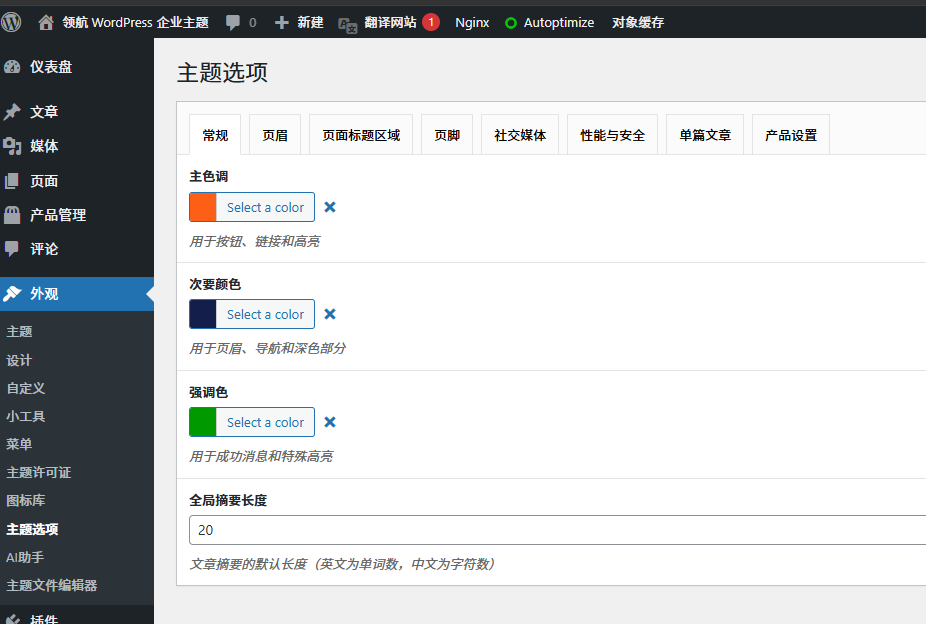
- CSS Variables Architecture: Change colors in one place, apply site-wide; customizing theme colors is very simple
- Configurable Optimization Options in the Admin Panel:
- Disable Emoji Script (saves ~15KB)
- Limit Post Revisions (reduces database usage)
- REST API Access Control
- Disable XML-RPC (security hardening)
Security Hardening
- AI endpoints use HMAC Signature Authentication to prevent request forgery
- Hide WordPress Version Number
- Disable Theme/Plugin File Editor
- Remove Unnecessary Links like RSD/WLW
Deep Customization Capabilities
- Theme Options Panel: Color scheme (primary/secondary/accent), header, footer, social media, performance settings — all-in-one configuration
- Responsive Design: Fully adaptive for desktop, tablet, and mobile
- Native Gutenberg Support: Use the official WordPress block editor, no need for additional page builders
Deep B2B Business Integration
The LingHang theme is deeply integrated with the naibabiji B2B Product Display Plugin, suitable for B2B companies that need to showcase industrial products and equipment.
- Product Detail Page Supports Sidebar
- Native support for inquiry buttons
- Product category page template override
- Color and theme auto-sync
Quick start guide
Installation steps (5 steps to complete)
Step 1: Purchase and install the theme
Purchase the theme→ Download the installation package → Upload and activate it in the WordPress admin
Step 2: Activate the license
Appearance → Theme License → Enter the license key → Save and verify
Step 3: Chat with the AI consultant
Appearance → AI Assistant → Describe your business type and needs → Get website building suggestions
Step 4: Create the homepage
Use the Gutenberg block editor to add the blocks you need (Hero, About, Services…)
Step 5: Fine-tune customization
Appearance → Theme Options → Adjust colors, logo, header/footer, social media links
Final Thoughts
For enterprises such as industrial manufacturing, foreign trade export, and B2B services, a professional corporate website is not only a display window but also an important channel to gain customer trust and inquiries.
The value of the LingHang theme lies in:
- Lower the barrier: Build professional pages with drag-and-drop, no coding required
- Improve efficiency: AI consultant assists throughout, configuration suggestions at your fingertips
- Professional presentation: 16 blocks cover core scenarios of corporate websites
- Continuous iteration: Versions are continuously updated, features are constantly improved
👉 If you are looking for a website building solution for your B2B business, feel free to consult or send a private message for more information.
Official website:https://linghang.quhenet.com/
WeChat customer service: quhenet