
While the LingHang theme makes it easy for beginners to quickly build a professional website, some designs may not meet your company's actual needs. If you have some CSS code knowledge, you can override them by adding custom CSS code.
There are two ways to add custom CSS code to the LingHang theme:
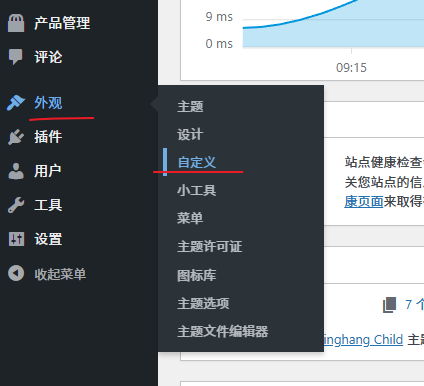
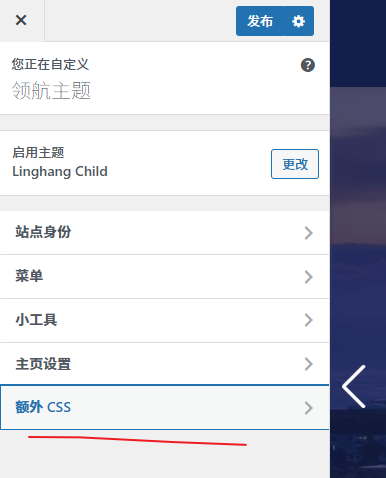
1. Theme Custom CSS (simplest)
Steps: WordPress Dashboard → Appearance → Customize → Additional CSS
Just paste your custom CSS code in.
2. Install a child theme (more customizable)
(The installation method is the same: upload and activate.)
A child theme will not update along with the parent theme, so the code you save in the child theme will remain in effect.
3. Modify code via a child theme
After installing and activating the child theme, you can modify the code via the „Theme File Editor“ under the Appearance menu, editing the style.css file to insert your own CSS code.
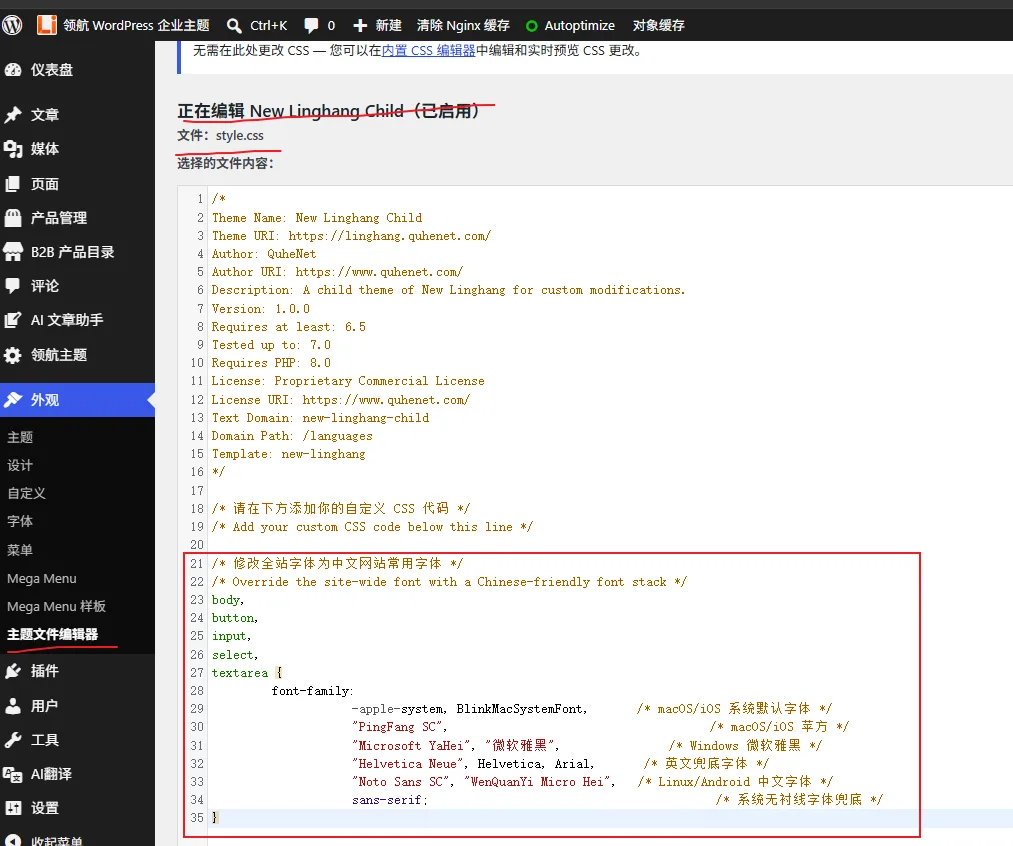
Code demo: modify fonts
/* 修改全站字体为中文网站常用字体 */
/* Override the site-wide font with a Chinese-friendly font stack */
body,
button,
input,
select,
textarea {
      font-family:
              -apple-system, BlinkMacSystemFont,     /* macOS/iOS 系统默认字体 */
              "PingFang SC",                          /* macOS/iOS 苹方 */
              "Microsoft YaHei", "微软雅黑",           /* Windows 微软雅黑 */
              "Helvetica Neue", Helvetica, Arial,     /* 英文兜底字体 */
              "Noto Sans SC", "WenQuanYi Micro Hei",  /* Linux/Android 中文字体 */
              sans-serif;                             /* 系统无衬线字体兜底 */
}
body {
      line-height: 1.8; /* 中文字符偏方正,行距略微加大更易读 */
}